Custom scripts allow you to add tracking pixels, analytics tools, chat widgets, and other third-party code to your Userled-generated landing pages. This gives you full control over the tools and integrations you want to include on your pages.
Before you can use custom scripts, you must have a custom domain configured for your account. If you haven't set this up yet, please reach out to your Userled admin or contact [email protected] for assistance.
Important: Custom scripts will only work on Userled-generated landing pages. They will not be applied to personalised imported websites.
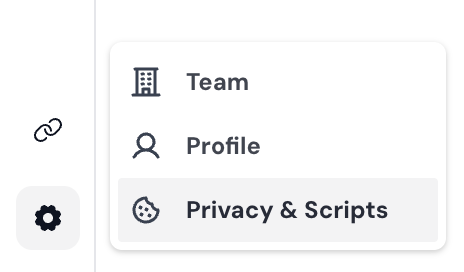
Navigate to Settings by clicking the cog icon in your Userled dashboard
Select Privacy & Scripts from the left-hand menu
Click on the Scripts tab
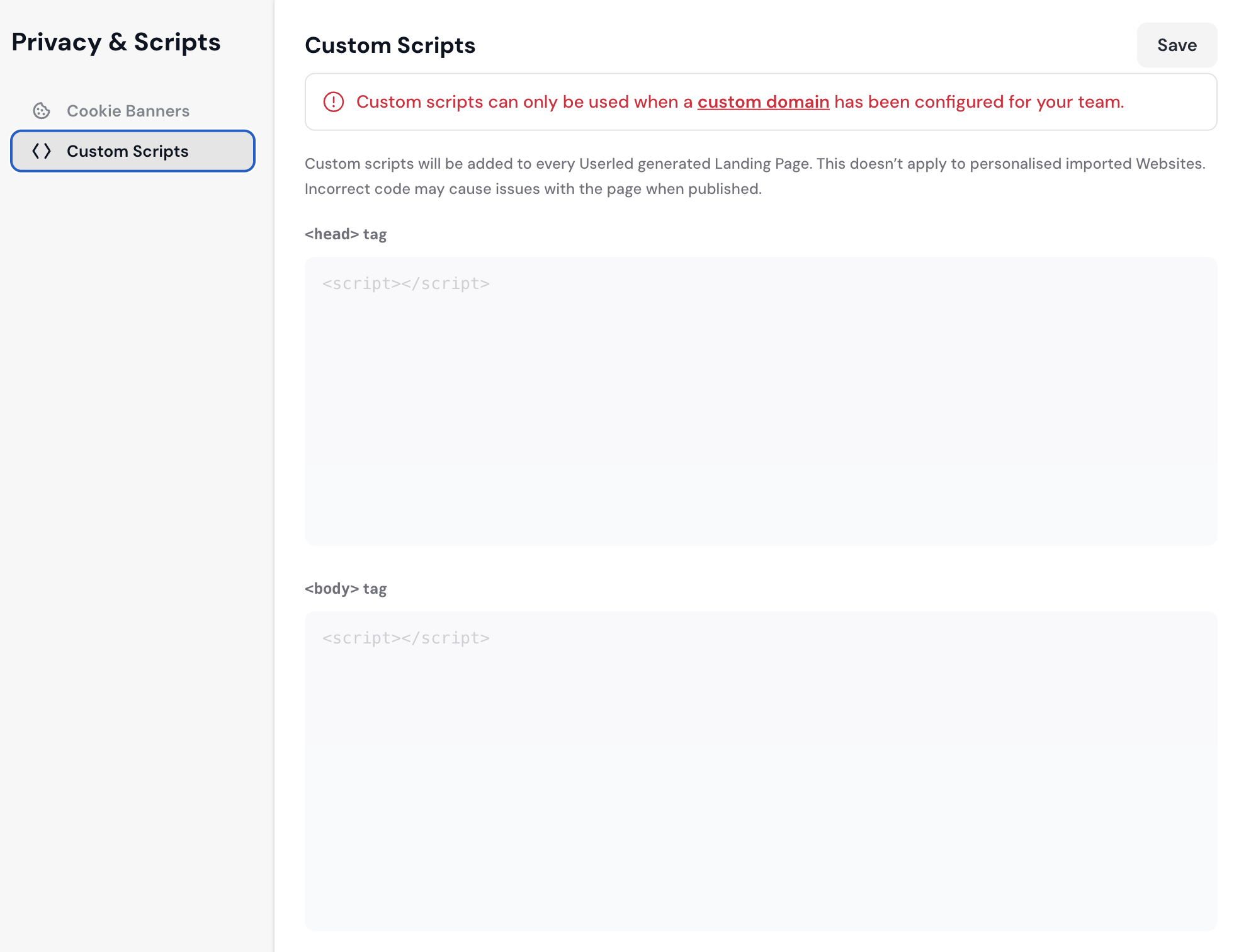
You can add scripts in two locations, depending on where you need the code to load:
<head> Tag Scripts
Scripts added here will be injected into the <head> section of your landing pages. This is ideal for:
Analytics tracking codes (Google Analytics, Mixpanel)
Meta pixels (Facebook Pixel, LinkedIn Insight Tag)
Font loading scripts
Early-loading third-party tools
<body> Tag Scripts
Scripts added here will be injected at the end of the <body> section of your landing pages. This is ideal for:
Chat widgets (Intercom, Drift)
Conversion tracking
Tools that need to load after page content
If you want to add a custom script to a specific campaign, while in the editor select Settings, Enable Custom Scripts, and choose Page Landing Specific.
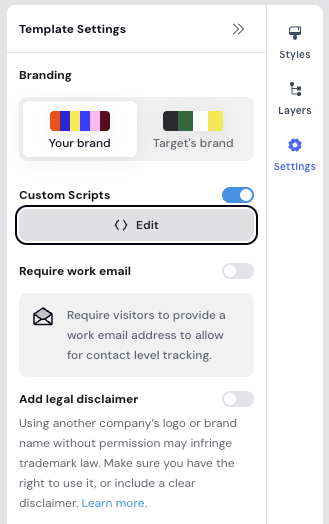

From here, you can add scripts to the <body> or the <head> just like before.
Test your scripts carefully: Incorrect or conflicting code may cause issues with your landing pages when published. Always test on a staging environment first if possible.
Keep scripts lightweight: Heavy scripts can slow down page load times and impact visitor experience.
Check for conflicts: If you're adding multiple scripts, ensure they don't conflict with each other or with Userled's existing functionality.
Consider consent requirements: If your scripts collect personal data, ensure your cookie banner settings are properly configured. See our guide on Implementing consent rules for more information.
Analytics & Tracking Add Google Analytics, Mixpanel, or other analytics tools to track visitor behaviour across your landing pages.
Marketing Pixels Implement Facebook Pixel, LinkedIn Insight Tag, or other retargeting pixels to track conversions and build audiences.
Live Chat Add chat widgets like Intercom or Drift to provide real-time support to visitors on your landing pages.
A/B Testing Tools Integrate third-party A/B testing platforms to run experiments on your landing pages.
Once you've added your scripts:
Click the Save button in the top right corner
If global, your scripts will now be included on all future Userled-generated landing pages
Note: Changes will apply to new pages generated after saving. Existing published pages will need to be regenerated to include the new scripts.
If you have questions about adding custom scripts or need assistance with specific integrations, the Userled team is here for you! You can reach out to your Userled CSM or contact us at via the support widget while logged into Userled.