In Userled: Export your sequence prospects as CSV. It should look something like this, with the Outreach URL and Preview URL for the image thumbnail.
Outreach (preview) URL |
https://us.assets.userled.io/7ff390a-9e2f-4250-80ef-00a317e35731/BvPlVChSM.png?ts=1764083374 |
Admin Settings (gear icon) > All Settings > Data Management > Objects, Fields, Stages.
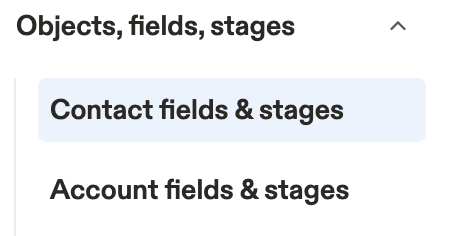
Select the the relevant option, for Contacts or Accounts, and then navigate to the fields tab. For contacts the url is likely: https://app.apollo.io/#/settings/contacts/fields

Add these Exact fields (Single-line text—no spaces for reliability):
Field Name | Type | Maps To |
UserledLP | Single-line text | "Outreach URL" (landing page link) |
UserledThumbnail | Single-line text | "Outreach (preview) URL" (thumbnail PNG link) |
This now gives us a destination for the Outreach URL and the Preview URL thumbnail in Apollo.
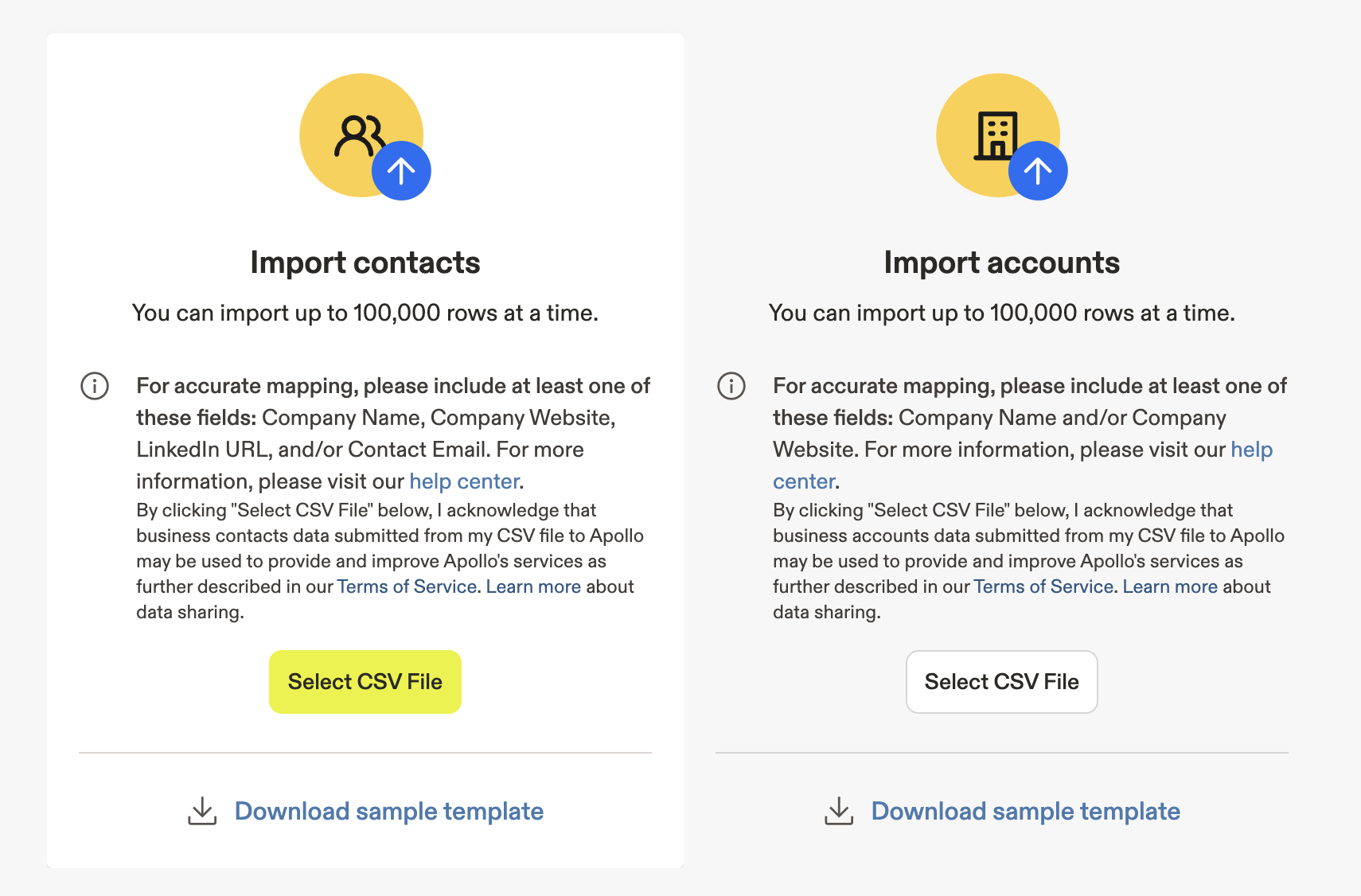
Upload the CSV that you downloaded in step 1 from Userled. Import this to Apollo as Contacts or Accounts.
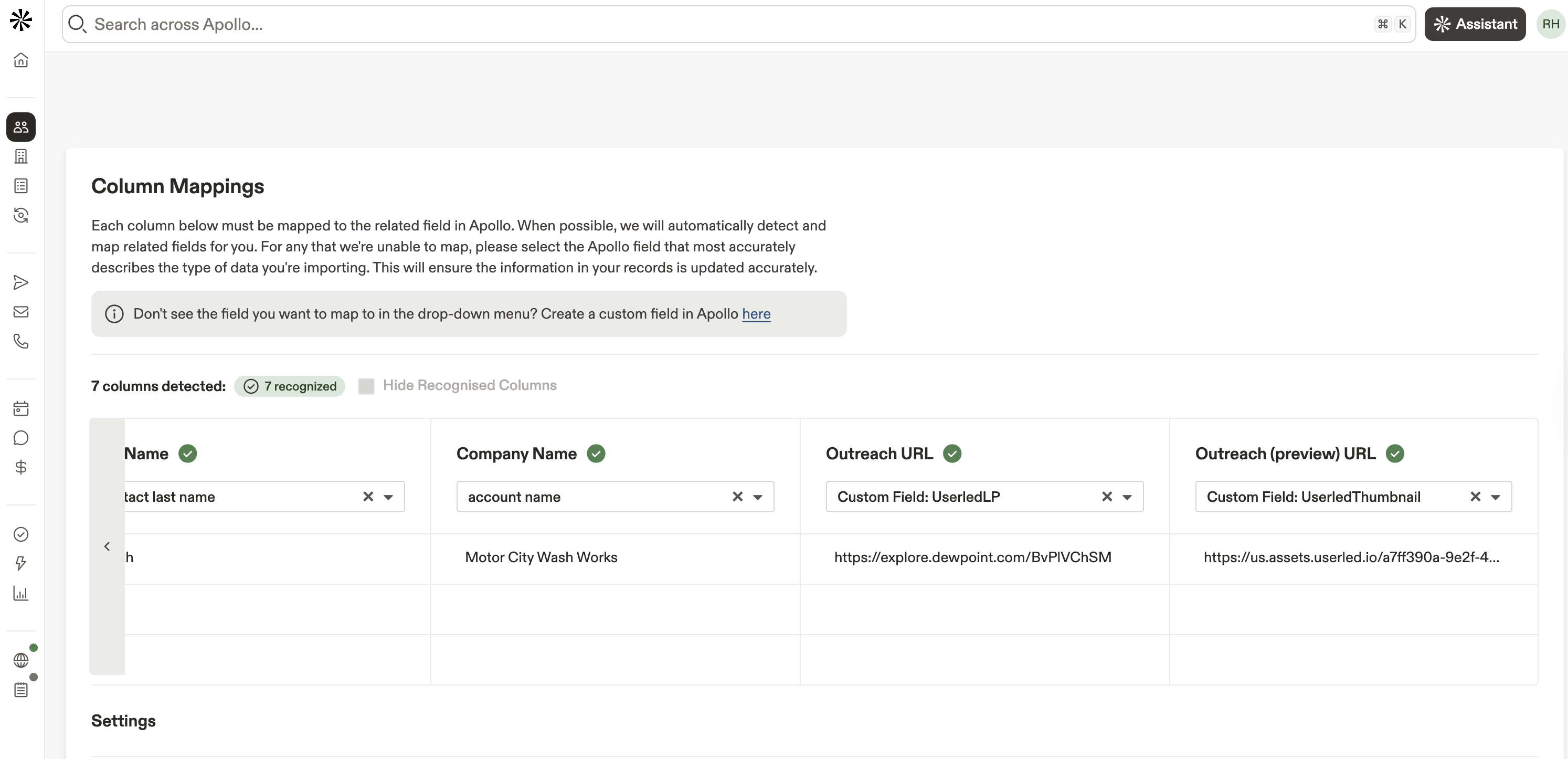
Once you've uploaded your file, Apollo will try to match the CSV headers to the fields in Apollo. We'll want to double-check that this is done correctly, especially for the last two columns, which are Outreach URL and Preview URL. Make sure these are mapped to the properties we set up earlier.
Hit Import once ready to add to Apollo.
We now have the Userled LP and Thumbnail in Apollo ✅
We can create a sequence that uses these custom fields to create a 1:1 email using the dedicated Userled page.
Create a sequence or open one you want to use
Enable HTML mode shown as <> in the editor screenshot below
Paste the following
<html><head></head><body><div>Hi {{First Name}},</div><div><br></div><div><br></div><div>I've put together some insights tailored specifically for <strong>{{company}}</strong>. Here's a quick preview:</div><div><br></div><div><br></div><div><br></div><div style="text-decoration: none;"><a href="{{UserledLP}}" rel="noopener noreferrer" target="_blank"><img src="{{UserledThumbnail}}" style="max-width: 100%" alt="Landing page preview for {{First Name}} at {{company}}" width="400"></a></div><div><br></div><div><br></div><div><a href="{{UserledLP}}" rel="noopener noreferrer" target="_blank" style="color: rgb(0, 123, 255);"><strong>Click here to view the full page →</strong></a></div><div><br></div><div><br></div><div>Looking forward to your thoughts!</div><div><br></div><div><br></div><div>Best,</div><div>Your Name</div></body></html>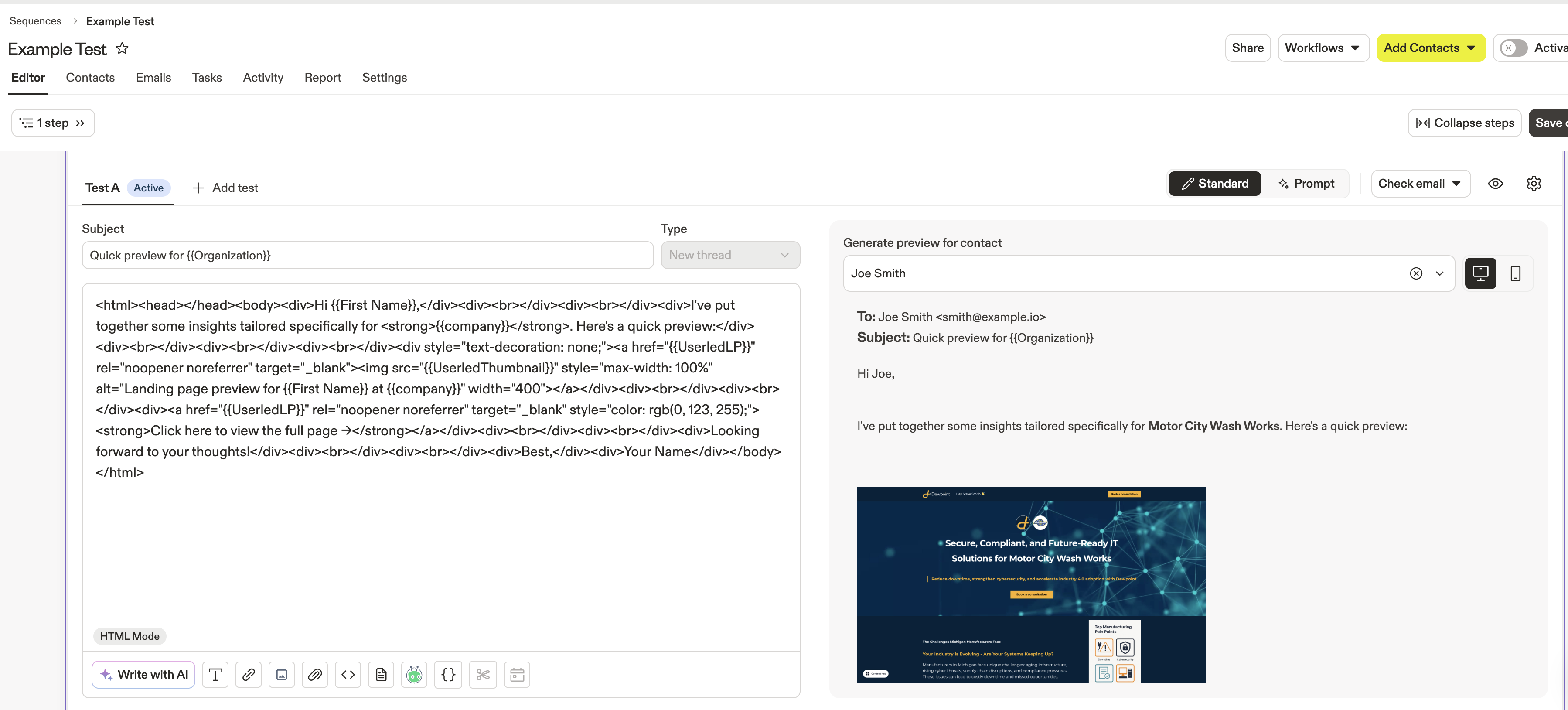
Generate a preview on the right-hand side by selecting a Contact or Account from your uploaded CSV list.