
Once your experience assets are generated, you can personalise them as much as you want, keep control of your branding and messaging while tailoring each asset for your targets.
You can personalise:
CTA text and links
Fonts
Background colours
Text colours
Variables (company name, etc.)
🚀 Upon request, you can get the team to import your fonts and more, so your branding stays consistent across your Userled campaigns.
Edit with AI
You can edit directly in the template editor using plain language, describe the change and the AI makes it. For example:
- "Make this entire page dark themed."
- "Use a different case study for the customers block."
Target edits vs Base edits
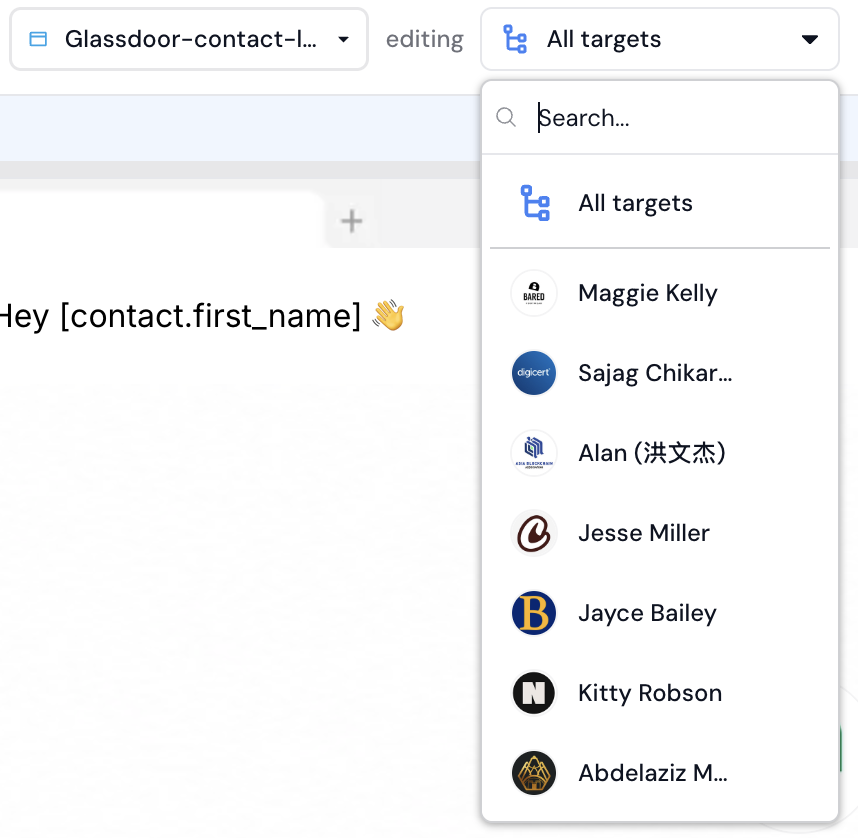
When you're working on a campaign, you control whether a change applies to one target or to all of them:
Target edits - select a specific target from the dropdown, and your changes apply to that target only. Your target edits appear in the edits menu on the side
Base edits - select
All targetsfrom the dropdown, and your changes apply across every target. In this mode you can also add, reorder, and remove elements. A target edit always overrides a base edit for that element on that target.
If you have any questions, we’re here to help! Please feel free to contact us at any time, either through our Slack Community or via [email protected]