Connect Salesforce, HubSpot, or Marketo to pull CRM data into your Userled assets from inside the editor.
Userled lets you create personalised assets, microsites and personalised images, at scale across your target accounts. There are a few ways to personalise, depending on how many targets you have and how bespoke you want each asset to be.
You can create a microsite in one of two ways:
Import your own existing webpages into the Userled template library.
Build a microsite template in the Userled editor.

Once you have a template, you can personalise it for your targets with Variables or AI.
Variables are dynamic placeholders (company name, industry, and so on) pulled from your CRM or campaign source and populated per target. They work best when your personalisation is driven by data you already have, and they scale to large audiences.
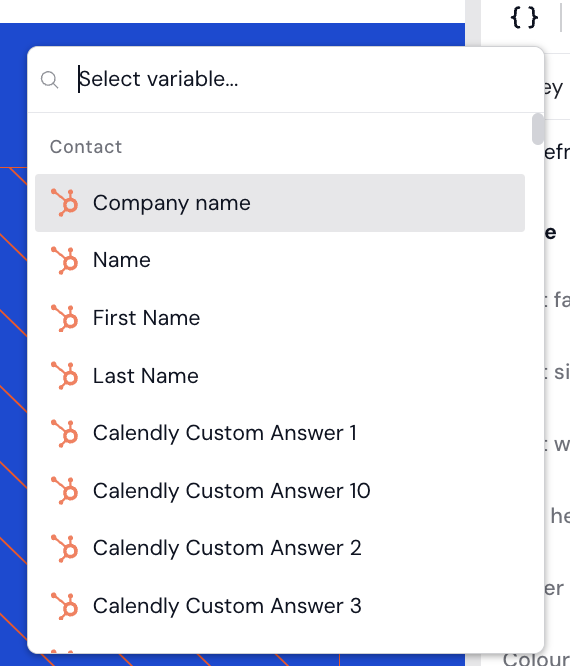
To insert one, select the { } Add variable icon in the editor and search for the value you want. Pick it, and it acts as a placeholder that is filled in for each target.
Example: with target company = Userled, the placeholder becomes "Userled" in that target's asset.
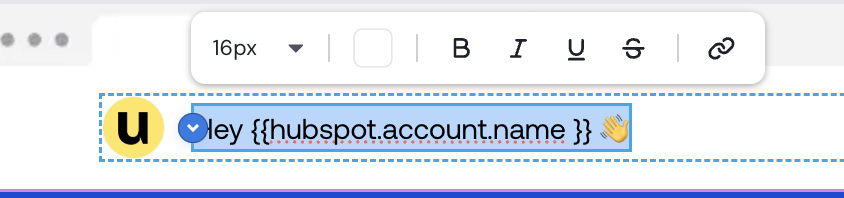

Note: variable insertion is available on One-to-One campaigns.
You can target both contacts and companies with AI. Userled pre-fills the target's product offerings and the prompt used for generation. Optionally, turn on AI image creation and set your brand guidelines in your Userled Brand Kit. Edit anything you want, then select Generate my template. Userled builds out the page copy based on the template you selected during campaign creation.
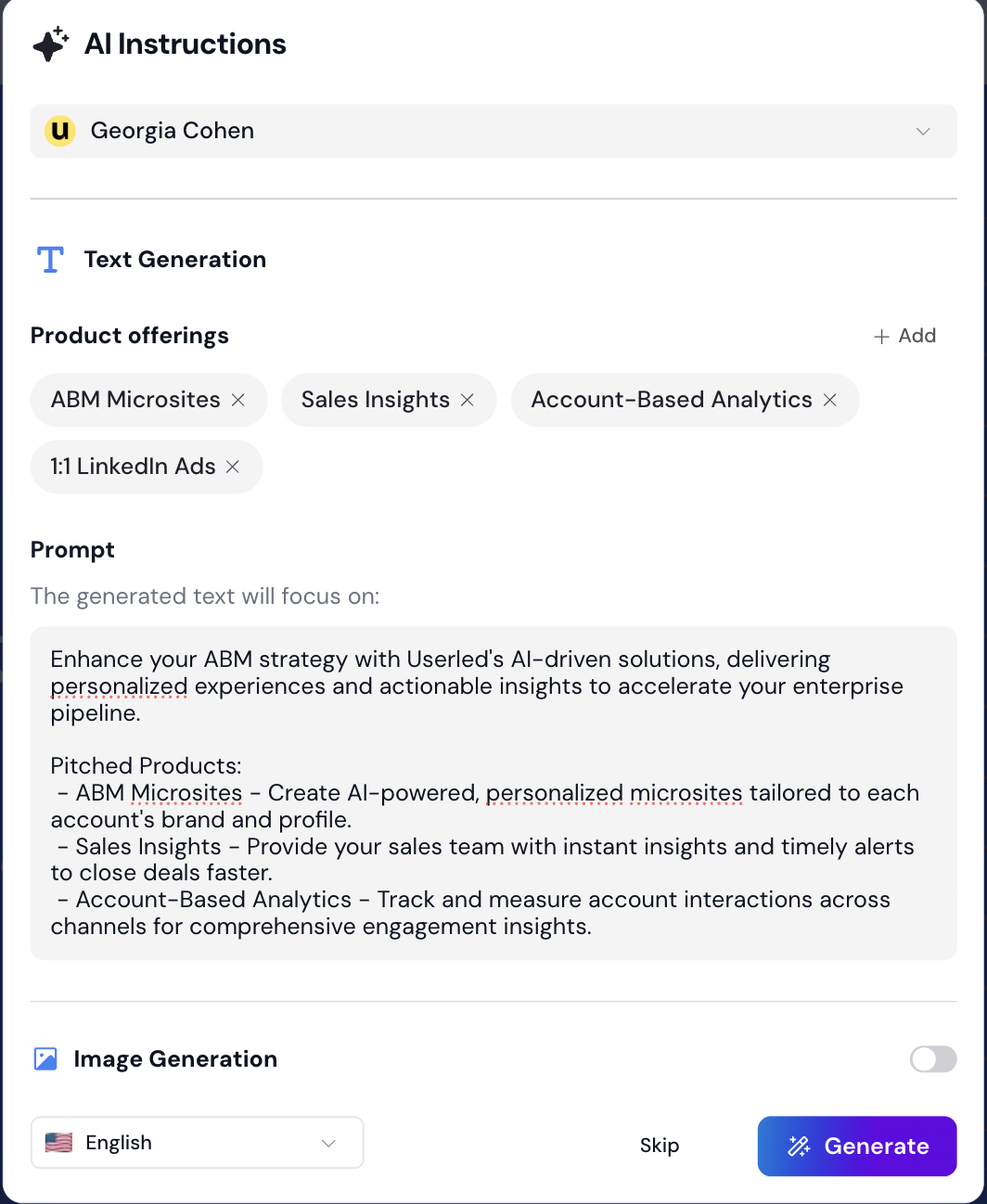
AI personalisation is available for up to 20 targets.
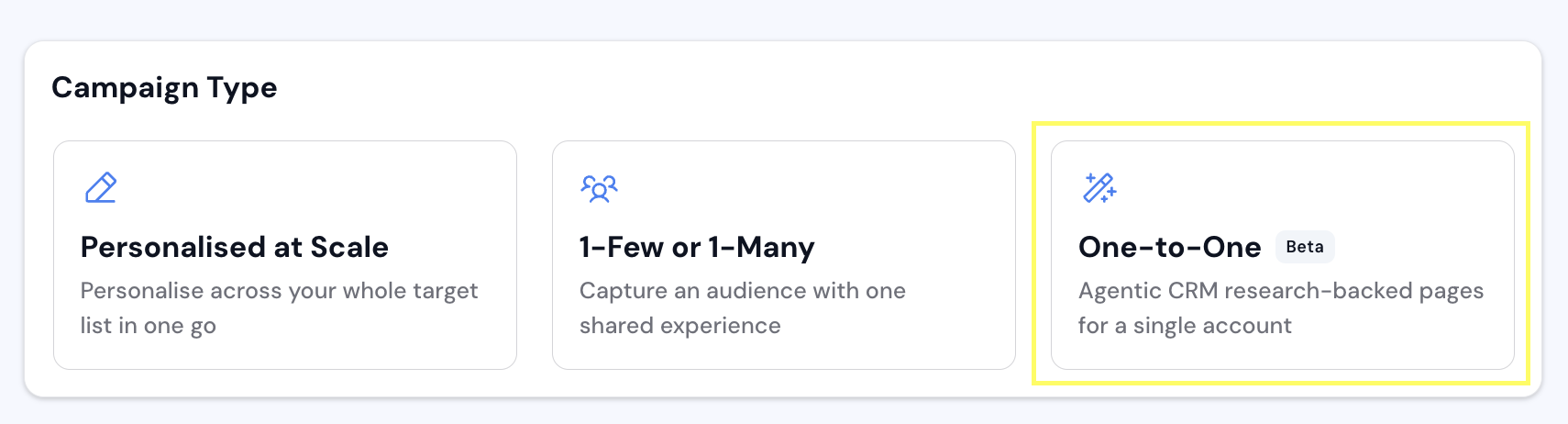
For a single high-value account, use a One-to-One campaign to get an agentic, research-backed, CRM-aware page. Describe what you want and Userled generates a page tailored to that account.
You can personalise images the same way you personalise microsites, so you can scale content across many accounts.
Go to your template library. Select Import Content, then Add creative.
Upload your base image from your local files or an image URL. You can personalise ads, email banners, or general images for later use in Userled microsites.
Add text and images that change dynamically based on your target.
Example: the base creative becomes a per-target version once personalised.
Once you save your creative, you can apply it to as many targets as you need, and the image is personalised automatically for each one.
If you have any questions, we are here to help. Reach out via the chat widget in the bottom corner of Userled or through our Slack Community.