Document ads let you promote a full document: a report, one-pager, deck, or comparison sheet, natively in the LinkedIn feed, published straight to the accounts you're targeting. Instead of driving a click first, the content itself does the work: prospects can read (and download) it without leaving the feed, and every interaction is tracked back to the account.
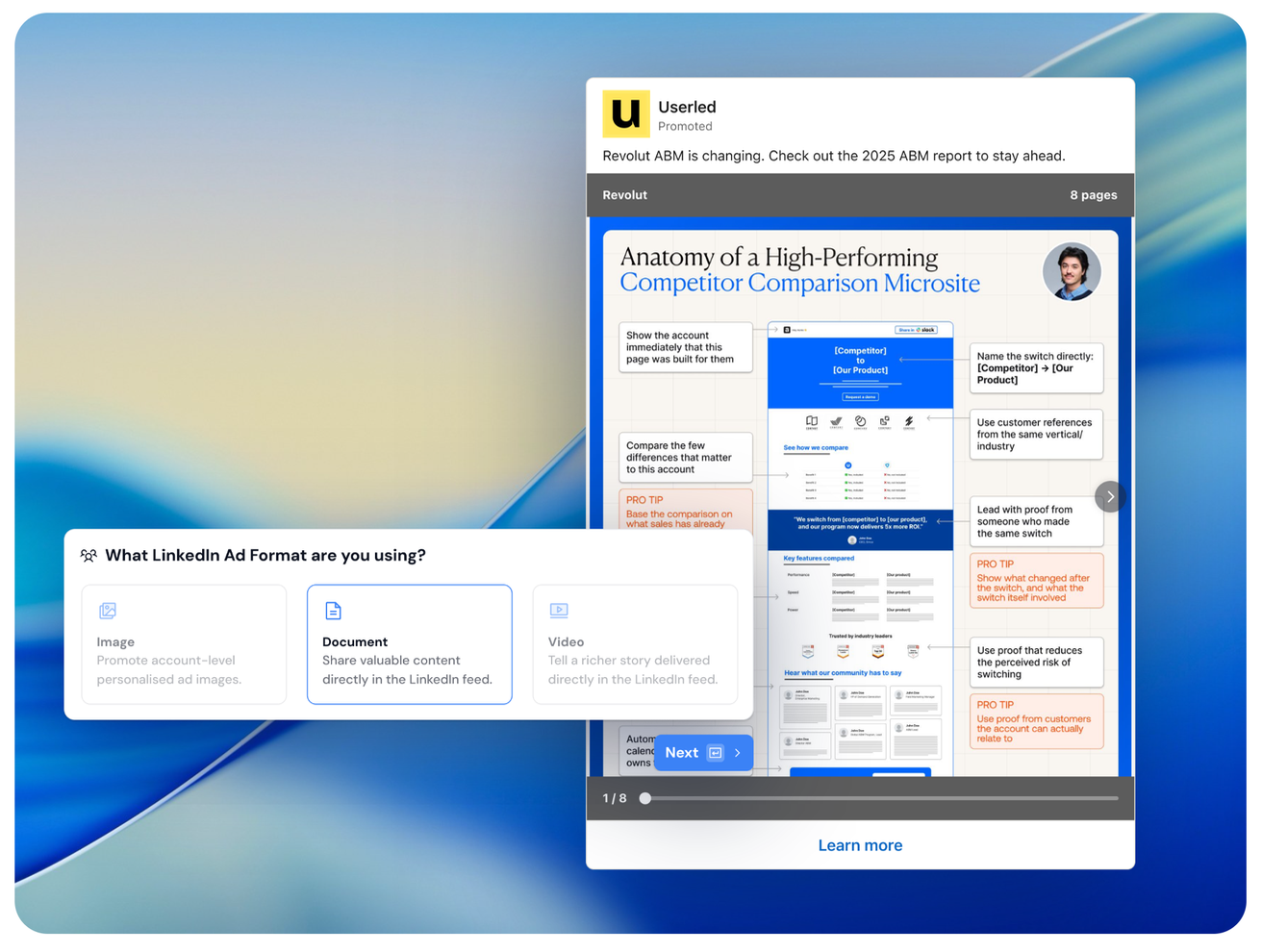
There are three ad formats available now with Userled:
Format | Best for |
Image | Account-level personalised ad images |
Document | Sharing valuable content (reports, decks, one-pagers) directly in the feed |
Video | A richer story delivered in the feed (coming soon) |

Document ads are a strong fit when:
You have a high-value asset - an ABM report, competitor comparison, buyer's guide, or industry benchmark.
You want the content consumed in-feed rather than gated behind a click or form.
You're running brand awareness or website-visit plays against a defined set of accounts.
You want reach across a cluster of named accounts (1:Few) or a broader segment (1:Many) using a single strong asset.

1. Create or open a LinkedIn campaign in Userled.
2. Choose the ad format: select Document when prompted.
3. Upload your document. Supported types are PDF, PowerPoint (PPT), and Word docs, up to 100MB.
4. Write your ad copy. Add the ad body text and call-to-action, these can be personalised per account.
5. Preview per account. Review the exact document and copy each target account will see.
6. Publish straight to your target accounts.

Document ads personalise at the ad-copy level, not the document level:
✅ Ad body copy: personalisable per account
✅ Call-to-action (CTA) copy: personalisable per account
❌ The document itself: the same file is reused across the accounts in an ad set, and it can't be edited after upload

Document ads support:
✅ Brand awareness
✅ Website visits
Not supported:
❌ Lead generation - this is a LinkedIn platform limitation on the document ad format, not a Userled restriction.
Document ad engagement flows into your Userled campaign analytics with account-level engagement tracking, so you can see which target accounts are interacting with the content and fold that into your account view and pipeline reporting.
No contact-level personalisation on document ads - personalisation is limited to ad body and CTA copy.
Document is not editable after upload - re-upload to make changes.
Lead gen objective is unavailable (LinkedIn limitation).
One-to-one (1:1) document ads at scale are not supported yet. Because documents are reused across accounts and can't be regenerated per target, running a unique document per account at volume (e.g. 100+ distinct files) isn't feasible today. For now, document ads are best run as 1:Few or 1:Many plays with a single strong asset.
PDF, PPT, Word doc
100MB
3-5 documents
Brand awareness, website visits
Ad body + CTA copy
Account-level engagement, into campaign analytics
Lead gen objective · contact-level personalisation · 1:1 at scale
Want a walkthrough? Talk to your Userled Customer Success Manager.