A subdomain is an extension of the root domain that helps you organize different pages or directories on your website. For example, www. is a subdomain; other examples are about.mywebsite.com, blog.mywebsite.com, or learn.mywebsite.com. The prefixes before 'mywebsite.com' are examples of subdomains.
If you or your DNS provider admin wish to connect your subdomain, select the ‘Add Domain’ button from here

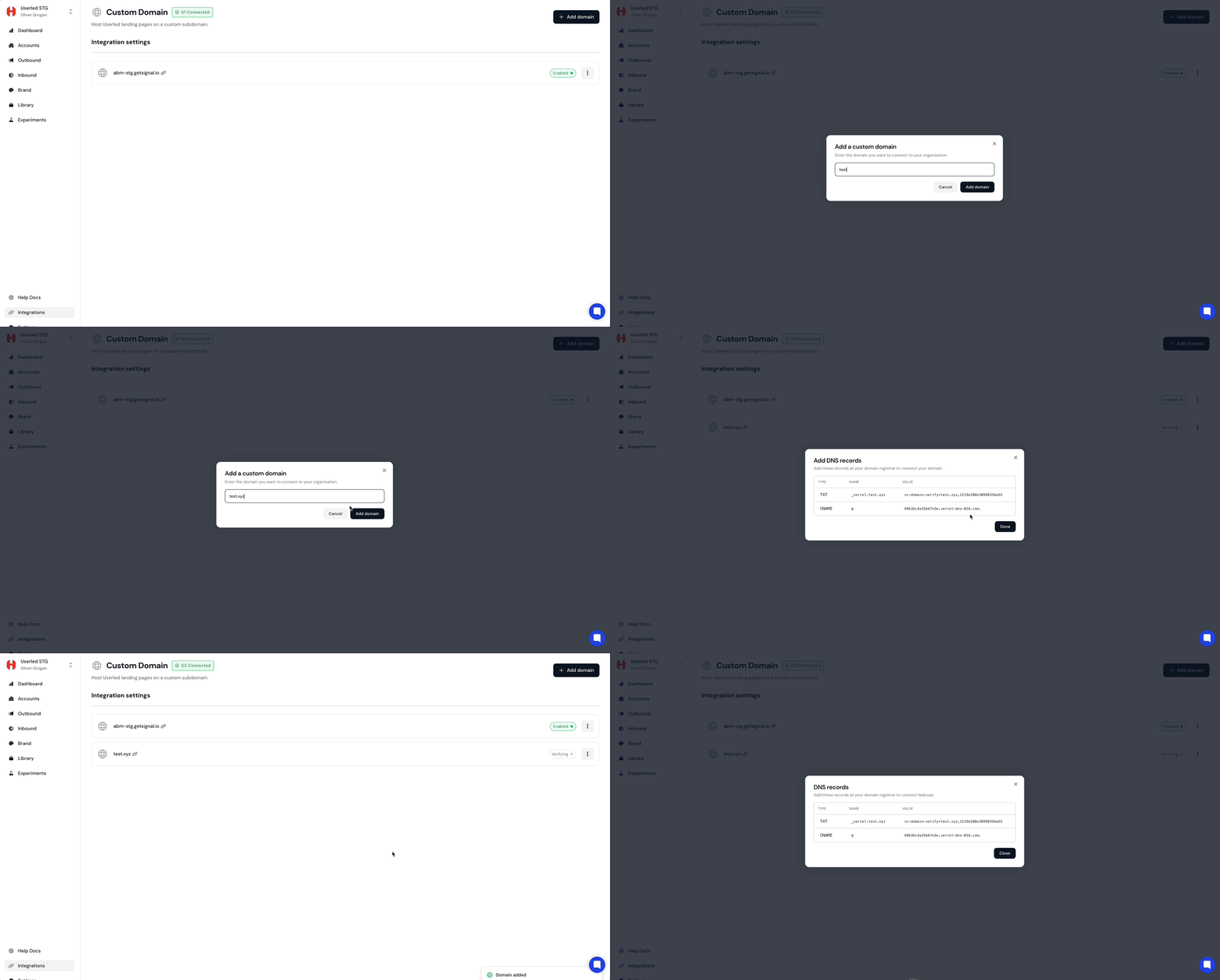
Simply add a CNAME record to your DNS provider with the following values to connect your custom subdomain.
Record: CNAME
Host: <your subdomain of choice> (for example lp)
Value: cname.userled.io.
Note: Be sure to include the . at the end of the Value. Some dns providers add it automatically but not all.
Once your subdomain shows as Enabled, it’s applied automatically. Every live link you publish, across all campaigns, will use it.

Subdomains are used when publishing live pages from within a Userled campaign.
A template on its own is not publishable, that’s why you won’t see a Publish option on a template link (e.g. app.userled.io/library/templates/…). Templates are the starting design.
To publish, use the template to create a campaign, then publish the page per target. That’s what generates the live link on your subdomain.
From your template, create a campaign.
Target an account (for a quick test, target your own).
Publish the page for that target —> Userled generates the live link.
The link resolves on your custom subdomain, e.g. yoursubdomain.yourdomain.com/<id>.
💡 If you have a single subdomain connected, it’s used upon the next publish automatically, no extra configuration per new campaign.
⚠ Published links are public and live. Treat test/demo links accordingly.