You can use a CSV containing LinkedIn URLs of your target contacts to create a personalised experience.
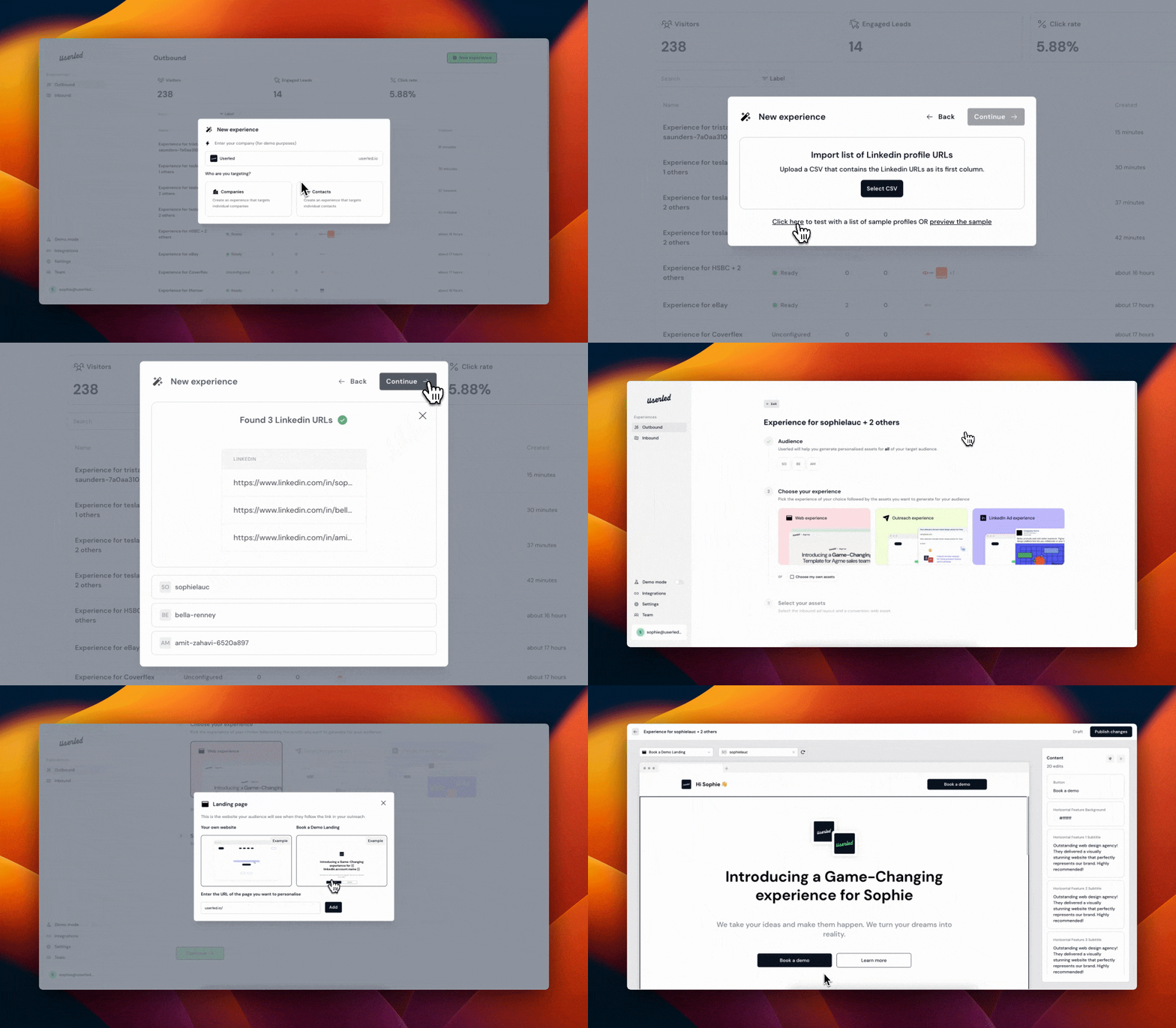
It's important to format your CSV properly so you don't run into any issues.
Headers: Userled requires that the first row of your CSV be headers. Userled uses these headers as variable names within the editor.
LinkedIn profile URLs: Userled requires that the first column of the CSV contain the LinkedIn profile URL of the contact. We use the LinkedIn profile URL to extract company and contact level information from their profile.
Note: It's important to double-check and make sure that there aren't any empty headers or duplicated columns or rows, otherwise you might run into some problems when you go to upload.
The data points Userled extracts from the list of profiles are available to you as variables in the editor to personalise your experience for your target contacts.
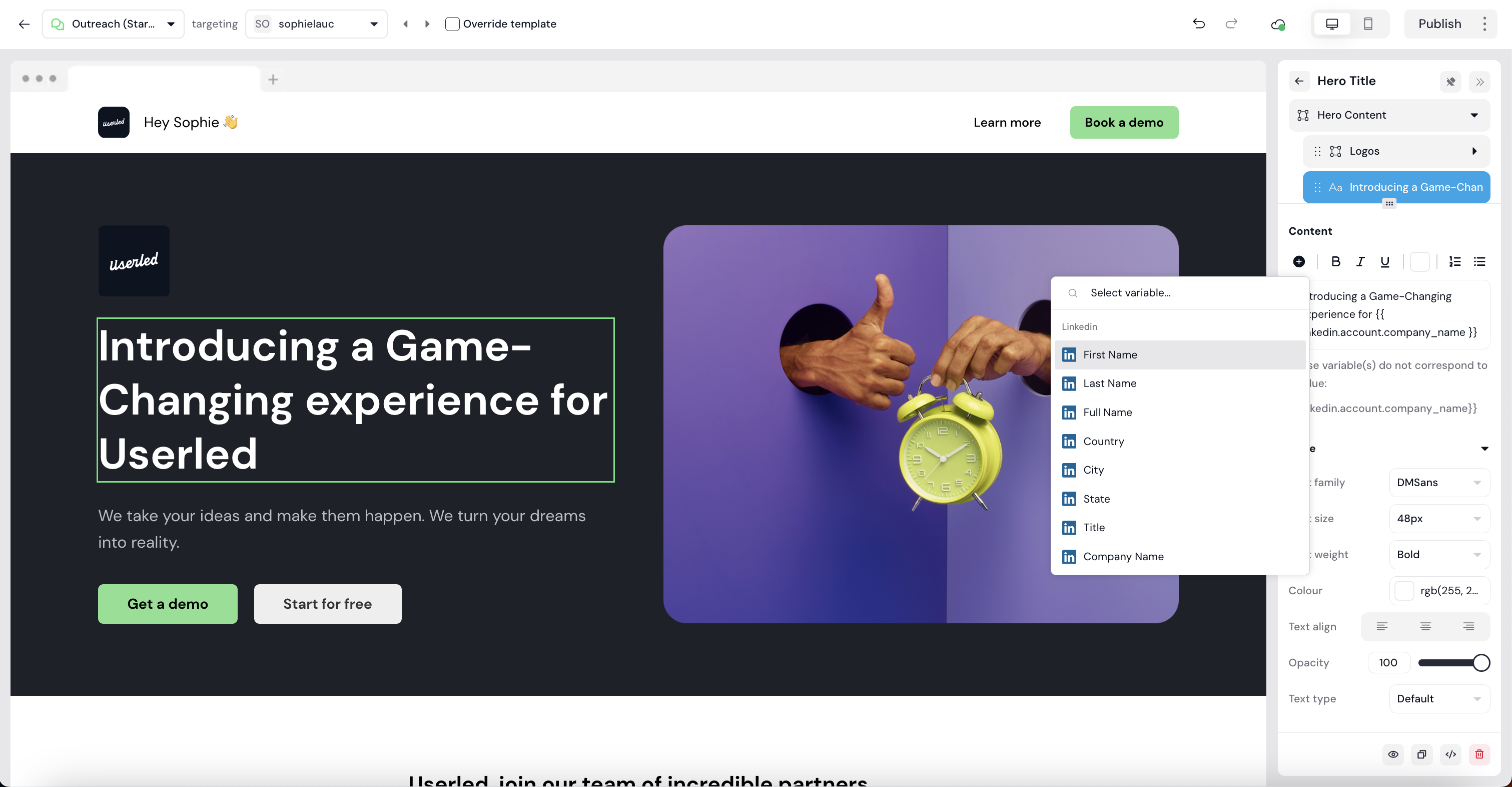
Userled enables you to directly import Linkedin contact URLs as a target for your outbound experience.
For you 1:1 experiences, simply enter the direct URL of the Linkedin profile you wish to work with, and let our builder identify the following variables:
First name
Last name
Full name
Follower count
Occupation - Linkedin occupation e.g Founding Engineer
Headline - Linkedin headline e.g. Founding Engineer @Userled
Summary - Linkedin about me section
Location - Linkedin Country/City/State
Company name
Get ready to roll out the red carpet directly for the contact you are speaking to, going beyond the company level! This is particularly powerful throughout the sales funnel during negotiations as well as for cold outreach.
If you have any questions, we’re here to help! Please feel free to contact us at any time, either through our Slack Community or via [email protected]